One of the most consistent pieces of feedback we’ve received in conversations with our users has been a
concern about the number of tickets visible on screen at one time. From the beginning, we made a conscious
decision to limit the main order view to six tickets per page.
This
approach helps keep tickets large, clear, and easy to read in a fast-paced kitchen environment. However,
we’ve always recognized the tradeoff that comes with that decision: when service gets busy, having
additional orders spread across multiple pages can make it harder to see the full picture at a glance.
Since day one, we’ve continued adding features designed to minimize those drawbacks. Easy page swiping
makes
navigating between orders quick and natural, sound notifications alert staff when new orders arrive on
another page, and the Summary view provides visibility into orders across every page from one centralized
location.
Today, we’re taking that a step further.
We’re excited to introduce two completely new ways to view and interact with your orders,
giving your
team more flexibility in how they manage service while maintaining the readability and simplicity of the
traditional six-ticket layout.
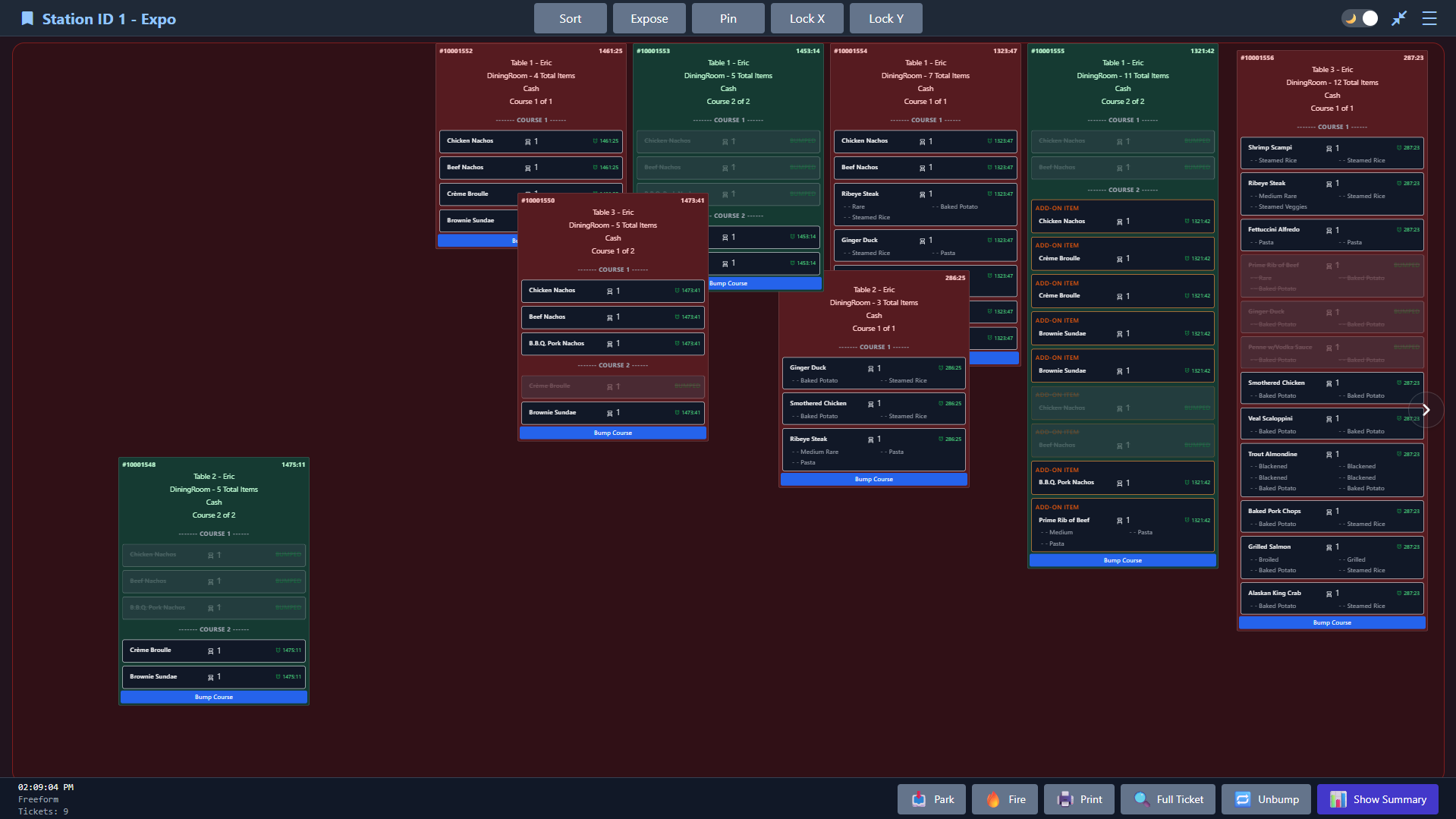
Freeform Board is a fully interactive workspace where tickets can be placed anywhere on screen,
including overlapping one another.
It is designed for kitchens that want to arrange work visually in a way that feels closer to a real
ticket rail.
Move tickets freely
Shrink and grow
Overlap when needed
Sort tools
Quickly reorganize the board with multiple layouts including
age-based columns, course-based columns, and dense grid views.
Expose, Pin, and axis locks
Bring selected tickets to the front, pin them back to the
standard board, or lock X and Y movement to keep layouts cleaner.
Board Two
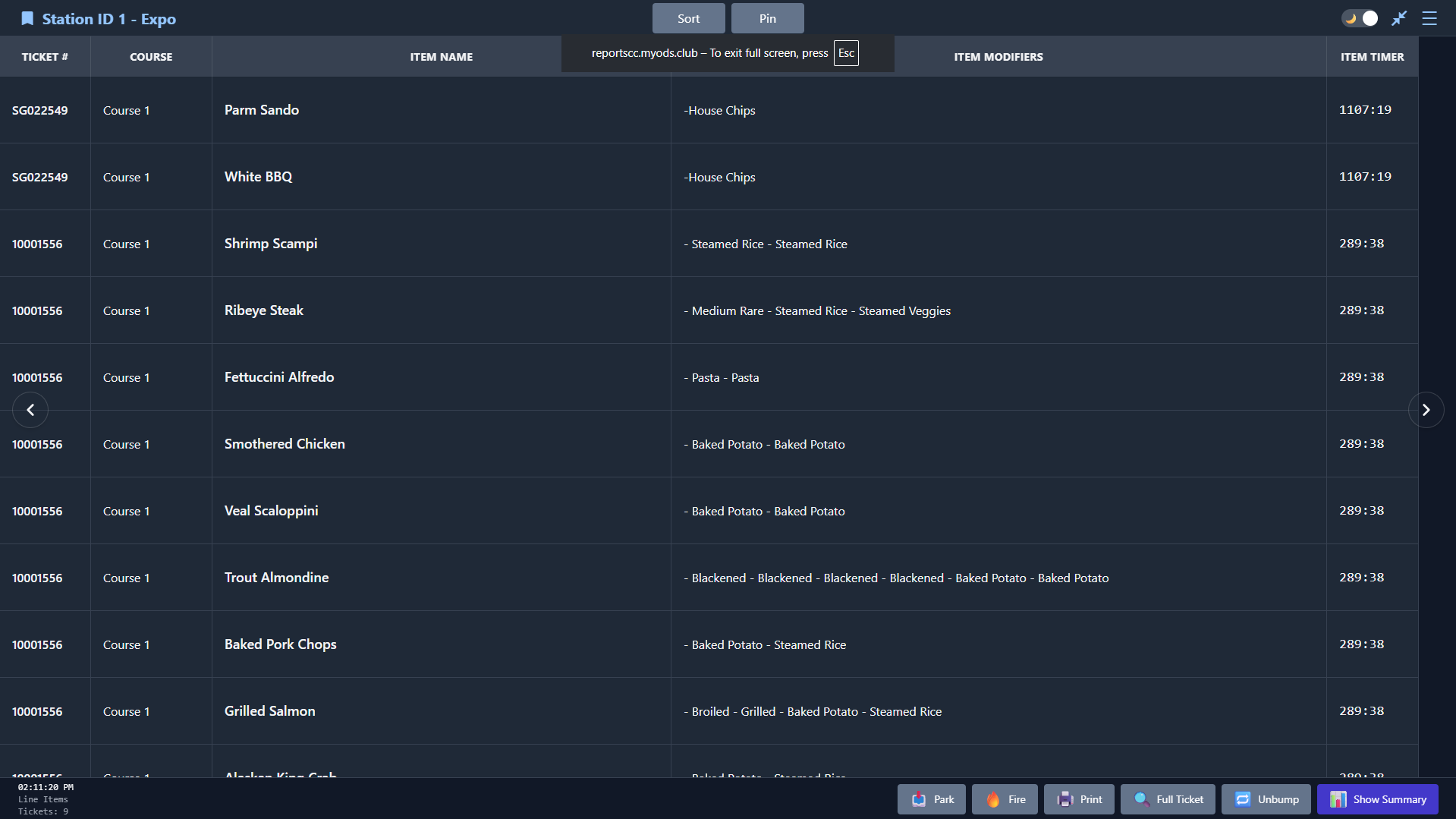
Line Item Board
Line Item Board transforms visual ticket stacks into a cleaner item-based grid so teams can scan work
faster without relying on full ticket card presentation.
Item-first layout
Cleaner scanning
Reduced clutter
Sort modes
Sort by options such as Course, Ticket Number, and Most Items on
Ticket to match the flow your kitchen prefers.
Faster readability
Keeps the focus on active work with a more compact format that
helps teams read the board faster during rushes.